Green maps are now available in the app for both Android and iPhone. The feature works as a powerful visual assistant, clearly showing slope severity and break direction on the green to support smarter, data-driven decisions when it matters most.
Green maps are fully available with our Premium subscription or can be purchased separately. To view green maps, please follow these steps:
1. Open the app. If you are not a Premium user, we recommend upgrading to access all green maps.
2. Search for your course:
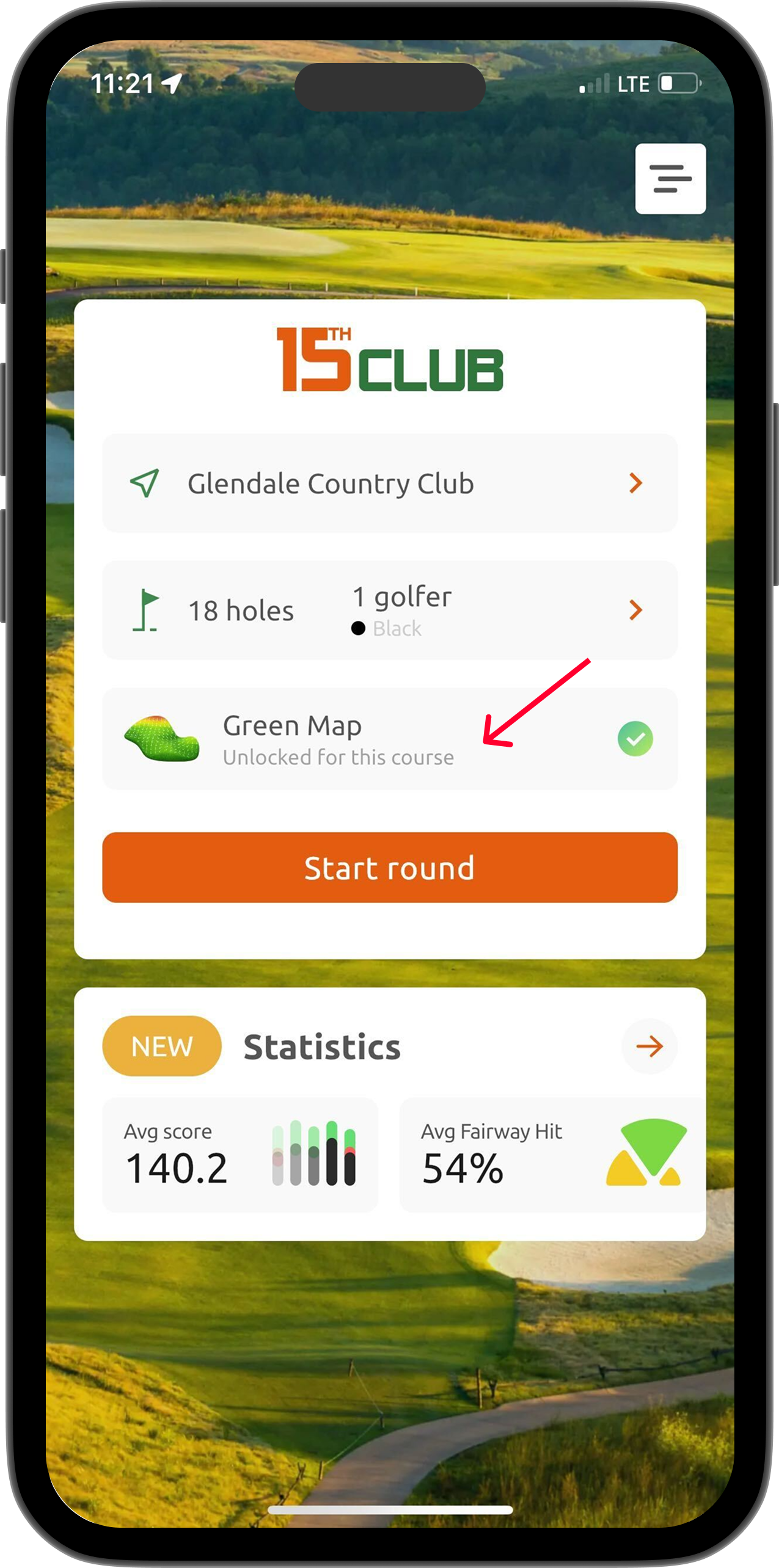
- For Premium users: if a green map is available, the app will show 'Green map is unlocked for this course'.
- For non-Premium users: if a green map is available, tap Preview and follow the on-screen instructions.
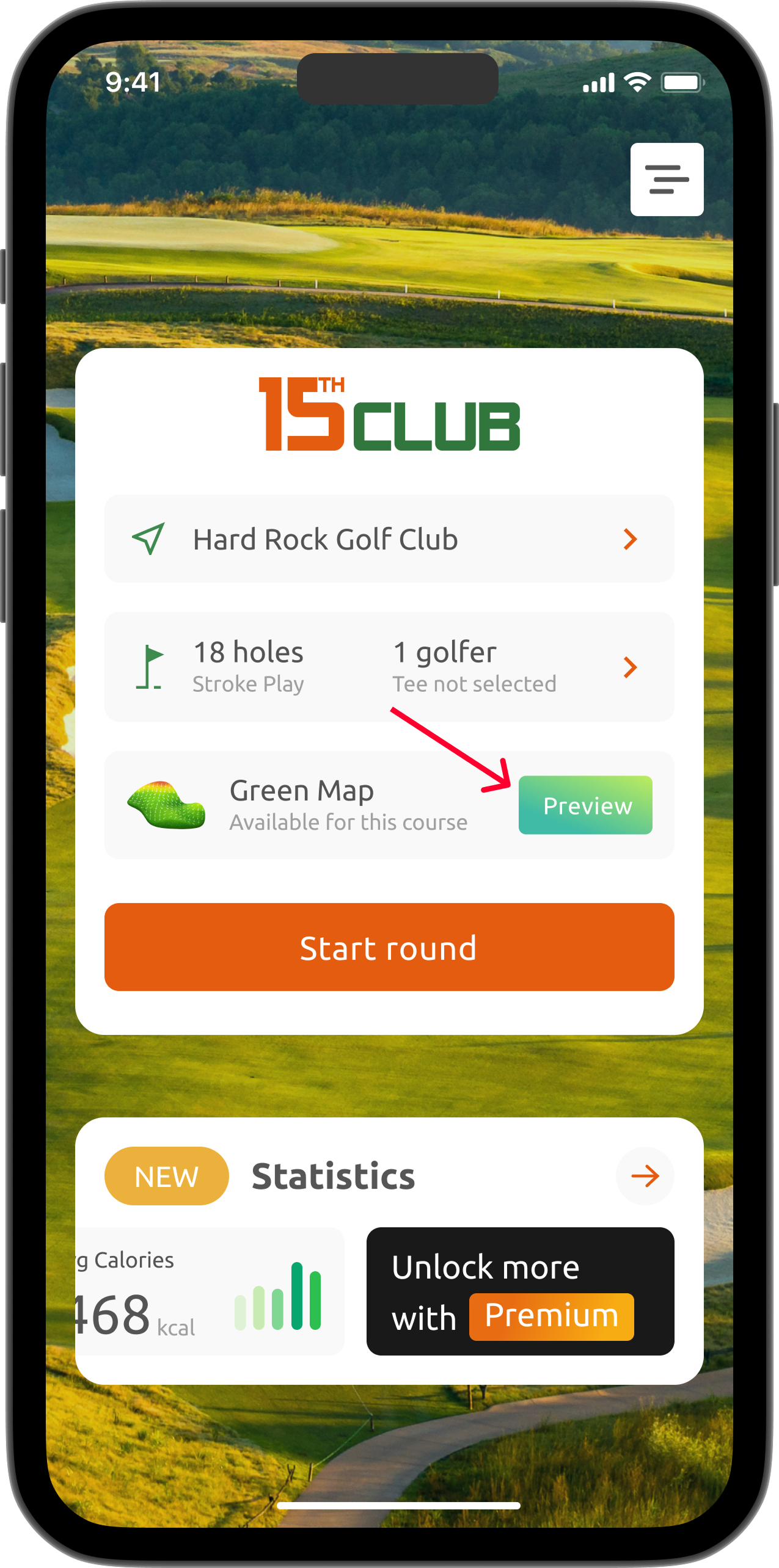
If you are not logged in, the app will prompt you to sign in or sign up to ensure access to your purchased green map.
3. Start a round as usual.
4. Tap the Map settings icon and toggle the Green map switch to enable or disable the feature.
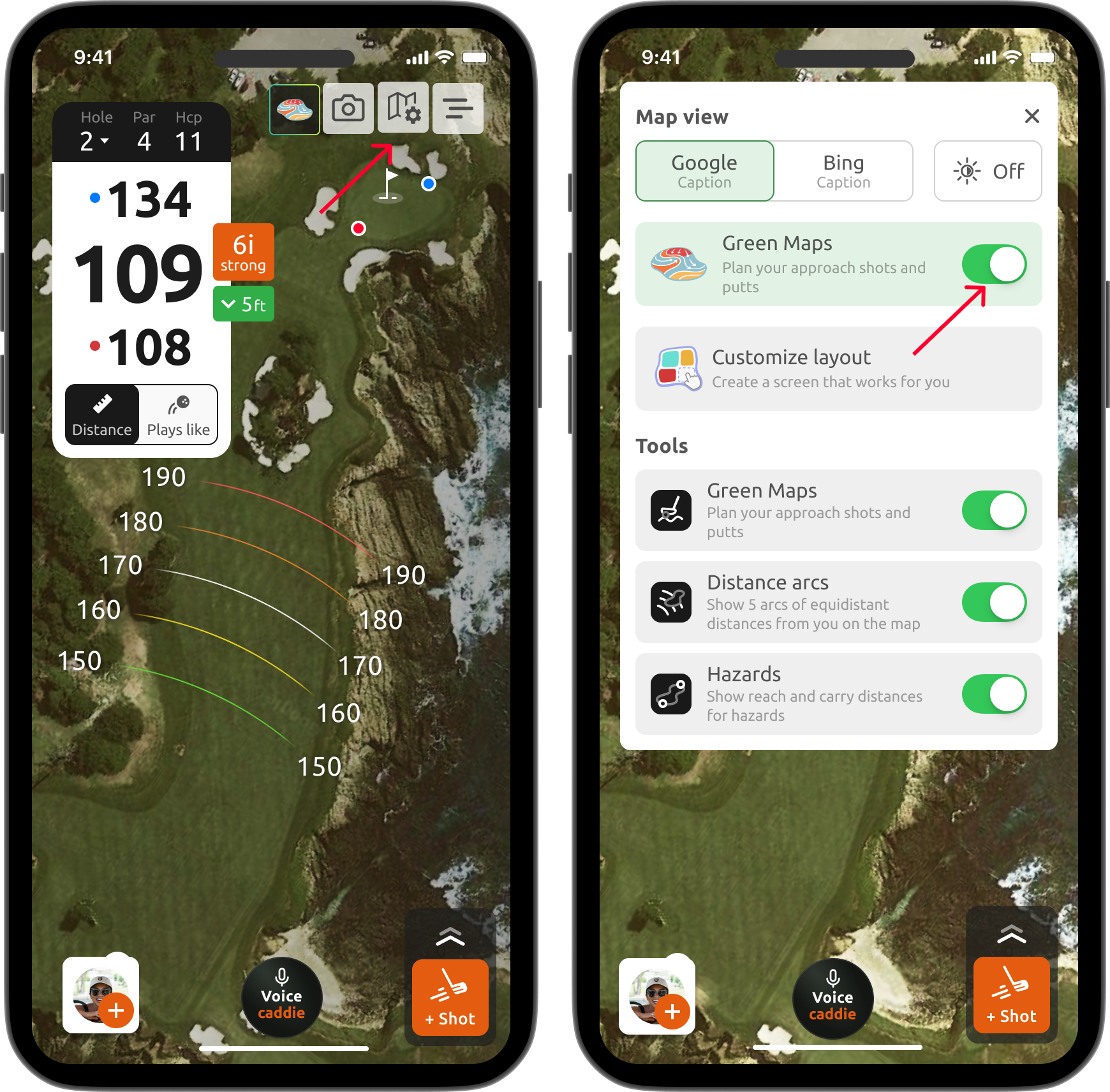
5. To view the green map, tap the Flag icon or zoom in on the green.
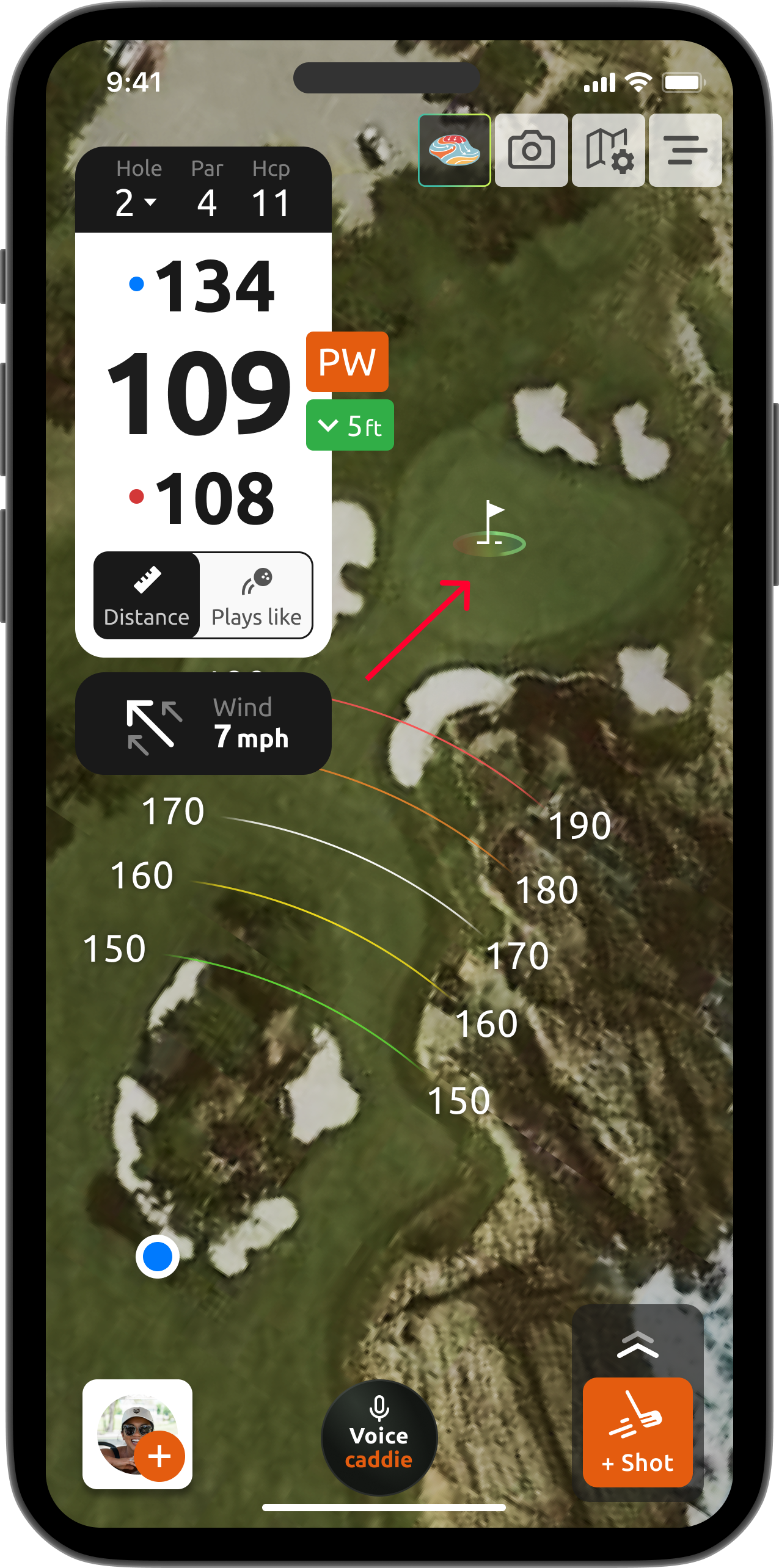
6. The green map will appear, showing the slopes and contours of the green. Meanwhile colors indicate the severity of the slope, arrows show the direction the ball will break.
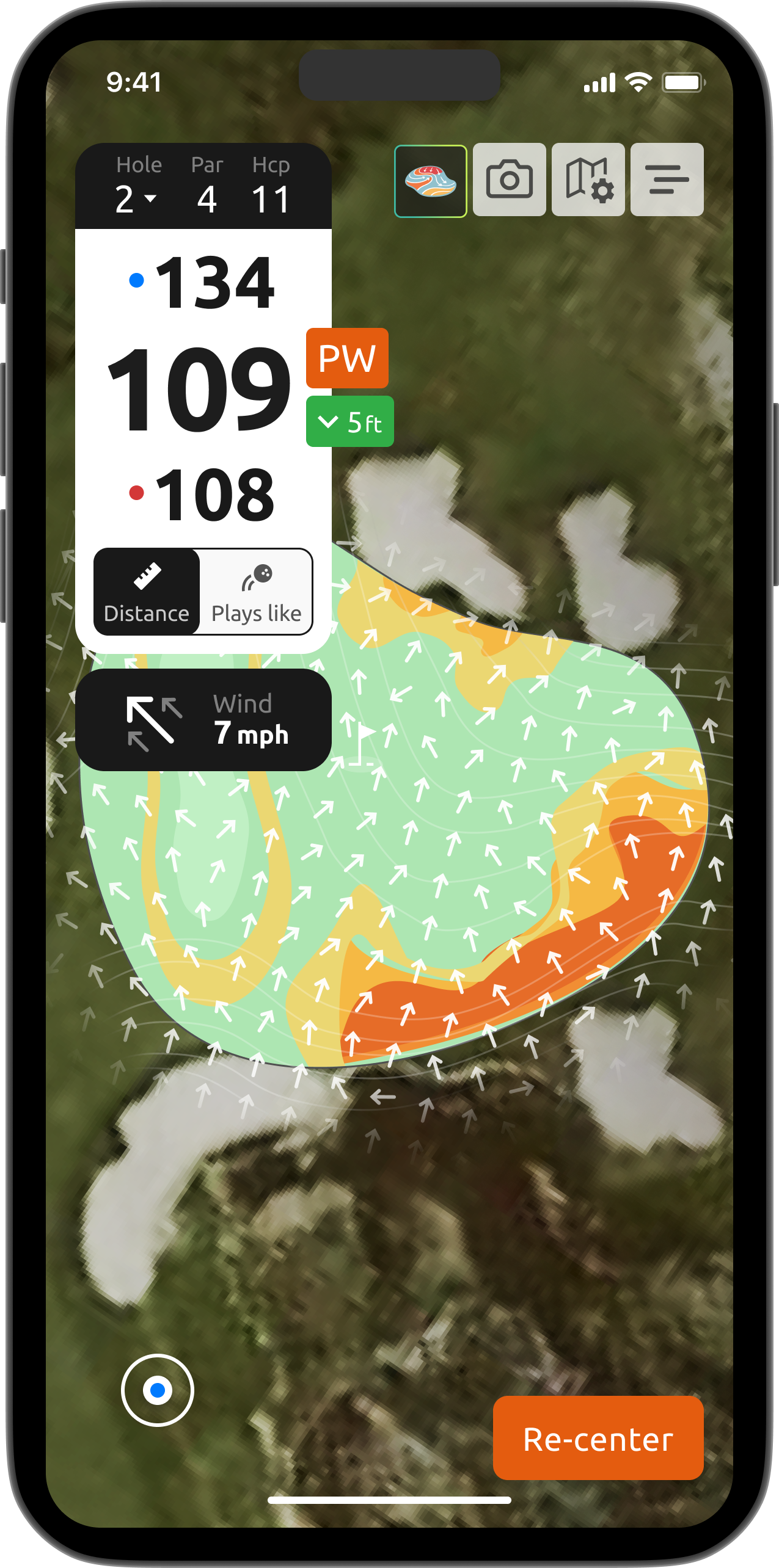
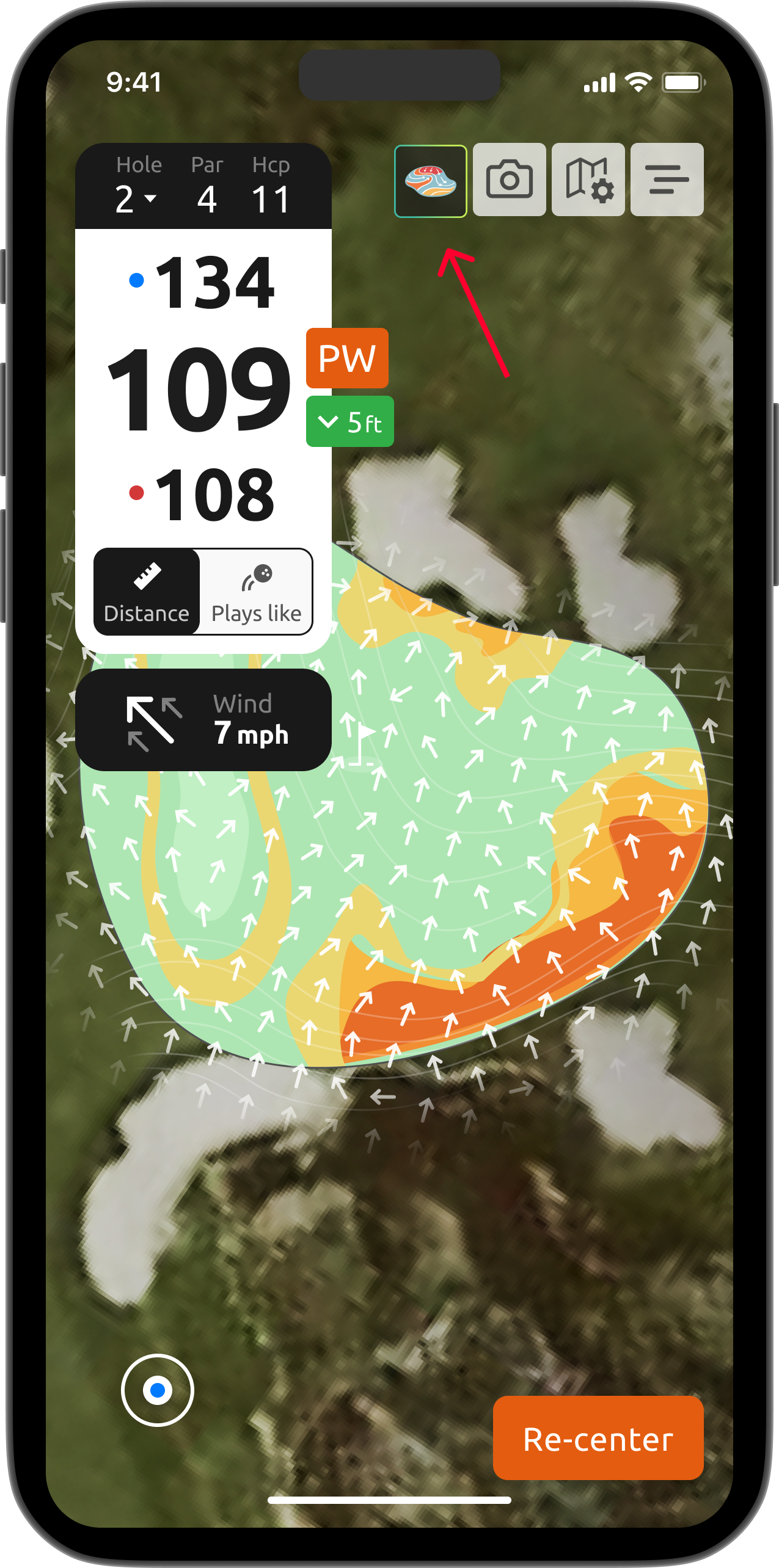
7. While zoomed in on the green, tap the Green map icon to switch between the green map and the standard green view.
If you have questions, please contact us at support@15club.golf. You can also create a new support ticket using this site, by tapping on 'New' in the upper right corner.
Was this article helpful?
That’s Great!
Thank you for your feedback
Sorry! We couldn't be helpful
Thank you for your feedback
Feedback sent
We appreciate your effort and will try to fix the article